Intro
Why SEO is Essential for Your Shopware 6 Store
Imagine you’ve designed the perfect online store on Shopware 6. Your product pages are polished, your navigation is sleek, and your checkout process is seamless. But none of it matters if potential customers can’t find you. SEO is the bridge that connects your store to search engines, driving traffic and boosting sales.
Without proper SEO, even the best-designed Shopware 6 stores remain hidden. But with the right SEO strategy, you’re not only boosting visibility but also building a foundation for long-term success. Here’s how:
1. Get Discovered: Visibility Is Everything
Think about how customers shop online. Most begin their journey on Google, typing in phrases like “affordable running shoes” or “best Shopware plugins for SEO.” If your store doesn’t appear in the first few results, you’re essentially invisible to most of your potential audience.
By targeting specific, high-intent keywords relevant to your products or services, you ensure your store is present where your customers are searching. For example:
- Instead of targeting broad terms like “Shopware 6 B2B suite,” focus on more specific keywords like “Shopware 6 SEO tools” or “optimize Shopware product pages for search engines.”
These long-tail keywords attract more qualified traffic—people who are genuinely interested in what you offer.
2. Attract High-Quality Traffic
It’s not just about getting visitors; it’s about getting the right visitors. Optimizing your store ensures you attract shoppers who are ready to take action, whether that’s making a purchase, exploring your products, or contacting you for more information.
For example:
- Transactional Keywords: Terms like “buy Shopware 6 plugins” or “best Shopware SEO tools” target users who are further along in their buying journey.
- Informational Keywords: Phrases like “how to improve Shopware SEO” attract users looking for advice, who can later convert into customers.
3. Build Trust with Your Customers
Trust is the cornerstone of any eCommerce business. When your store appears consistently in search results and offers clear, well-organized information, you position yourself as an authority in your field. Customers are more likely to shop with a store they perceive as credible.
4. Take Advantage of Shopware’s Built-In Tools
Shopware 6 is designed with SEO in mind. Its tools make optimization straightforward:
- SEO-Friendly URLs: Customize URLs for every product, category, and blog post to include relevant keywords.
- Meta Tags: Easily edit titles and descriptions to make them more engaging and keyword-rich.
- Fast Loading Speeds: Shopware’s efficient framework helps your site load quickly, a major ranking factor for Google.
5. Stay Ahead of the Competition
The eCommerce space is competitive. Your competitors are also vying for those coveted top spots on Google. A strong SEO strategy ensures you stay one step ahead by building a solid online presence.
Building Topical Authority with Shopware 6
Topical authority isn’t just a buzzword—it’s a powerful way to establish your store as the go-to resource for your niche. For Shopware 6 users, this means creating a library of interconnected content that answers every possible question your audience might have about your products, services, and industry.
What Is Topical Authority, and Why Does It Matter?
Topical authority tells search engines, “This site knows what it’s talking about.” When Google sees that your store has a deep well of content related to a specific subject, it’s more likely to rank you higher for relevant searches.
For example:
- A store selling sports equipment can build topical authority by publishing content about everything from “how to choose running shoes” to “training tips for marathon runners.”
Steps to Build Topical Authority
1. Develop a Content Cluster Strategy
Content clusters are groups of related pages or articles that revolve around a central topic. Here’s how to structure yours:
- Main Topic (Pillar Page): The central, comprehensive page. For example, “The Ultimate Guide to Shopware SEO.”
- Cluster Topics: Supporting articles that link back to the main topic. For example:
- “How to Optimize Shopware 6 SEO URLs for Higher Rankings”
- “Category Page SEO Tips for Shopware 6 Stores”
- “Best On-Page SEO Practices for Shopware 6”
These interconnected pages create a web of relevance, signaling to search engines that your store is an authoritative source.
2. Answer Specific Customer Questions
A great way to build authority is by directly addressing the questions your customers are asking. Use tools like Google’s People Also Ask, Ranktracker, or Answer the Public to discover common queries related to your niche.
The All-in-One Platform for Effective SEO
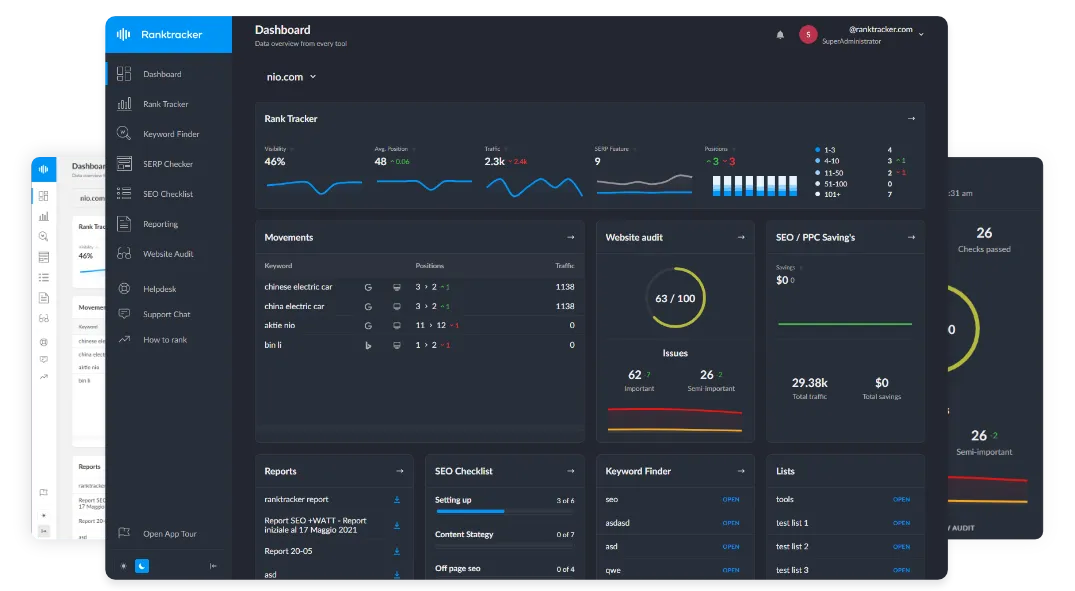
Behind every successful business is a strong SEO campaign. But with countless optimization tools and techniques out there to choose from, it can be hard to know where to start. Well, fear no more, cause I've got just the thing to help. Presenting the Ranktracker all-in-one platform for effective SEO
We have finally opened registration to Ranktracker absolutely free!
Create a free accountOr Sign in using your credentials
For example:
- Question: “How do I improve my Shopware 6 SEO rankings?”
- Answer in Blog Form: Write a detailed post that explains practical steps, linking to relevant product pages or tools you offer.
3. Optimize Product and Category Pages for Authority
Your product and category pages aren’t just for sales—they’re critical for building authority. Here’s how to make them work harder:
- Detailed Descriptions: Go beyond the basics. Explain how each product solves a problem or fits into the customer’s lifestyle.
- Customer Reviews: Highlight authentic reviews to add credibility.
- Category Page Intros: Write a short introduction for each category, explaining what’s included and why it matters.
4. Publish Long-Form, High-Value Content
Google rewards in-depth content that thoroughly covers a topic. Create blog posts, guides, or whitepapers that go deep into subjects your audience cares about. For example:
- “How to Master Shopware 6 SEO: A Step-by-Step Guide”
- “10 Common SEO Mistakes Shopware Store Owners Make (and How to Avoid Them)”
Longer content keeps readers on your site longer, reducing bounce rates and boosting rankings.
5. Regularly Update Your Content
Outdated content sends the wrong message to both Google and your customers. Schedule regular reviews of your pages to:
- Update statistics and examples.
- Add new insights or product recommendations.
- Refresh meta tags and keywords.
Understanding Search Intent and How to Align Content with It
Search intent is the cornerstone of modern SEO. It’s not just about ranking for keywords; it’s about understanding why users are searching and tailoring your content to meet their needs. When you align your content with search intent, you build trust with users, increase engagement, and improve your chances of converting visitors into customers.
What Is Search Intent?
Search intent refers to the reason behind a search query. It answers the question: What is the user trying to achieve with this search? Google’s algorithms are designed to identify intent and prioritize pages that match it.
Four Types of Search Intent
- Informational Intent:
- Users want to learn more about a topic.
- Examples: “What is Shopware SEO?”, “How to improve page speed.”
- Content Focus: Blog posts, guides, and tutorials.
- Navigational Intent:
- Users are looking for a specific website or page.
- Examples: “Shopware SEO guide,” “KennerSoft Shopware 6 B2B Suite.”
- Content Focus: Brand pages, product pages, and help documentation.
- Transactional Intent:
- Users are ready to take an action, such as making a purchase.
- Examples: “Buy Shopware SEO tools,” “Shopware 6 plugins pricing.”
- Content Focus: Product pages with clear calls-to-action.
- Commercial Investigation Intent:
- Users are comparing options before making a decision.
- Examples: “Best SEO tools for Shopware,” “Shopware 6 vs Magento.”
- Content Focus: Comparison guides, reviews, and case studies.
How to Identify Search Intent for Your Store
- Analyze Keywords: Use tools like Ranktracker or Ahrefs to find out what queries users are searching for and categorize them by intent.
- Use Google Search Results: Search for your target keywords and observe what types of pages are ranking. For example:
- Informational content (blogs or guides) signals informational intent.
- Product pages or “Buy Now” ads signal transactional intent.
- Ask Your Audience: Use polls, surveys, or customer interviews to understand the types of questions they ask before, during, and after a purchase.
How to Align Content with Search Intent
- Informational Content:
- Focus on educating users.
- Example: Write a blog post titled “How to Optimize SEO in Shopware 6” and include actionable steps, screenshots, and examples.
- Navigational Pages:
- Make important pages like category overviews, brand pages, and support documentation easy to find.
- Example: Create a detailed “About Our Shopware Plugins” page optimized for keywords like “Shopware SEO plugins.”
- Transactional Pages:
- Use compelling product descriptions, benefit-focused language, and trust signals (e.g., reviews, badges).
- Example: Highlight discounts or unique selling points, such as “Shopware 6 SEO Plugin – 20% Faster Page Load.”
- Commercial Investigation Pages:
- Offer comparisons, FAQs, and social proof to help users make informed decisions.
- Example: Create a guide like “Shopware SEO Tools Compared: Features, Pricing, and Benefits.”
Practical Tips for Implementing Search Intent
- Map Intent to Your Site’s Pages: Review your existing pages and identify which intent they serve. Adjust content or create new pages where gaps exist.
- Structure Content for Clarity: Use headings, bullet points, and visuals to make your content easy to skim.
- Incorporate Internal Links: Help users navigate to related content that matches their intent.
E-E-A-T: Building Credibility and Trust
Google uses E-E-A-T (Experience, Expertise, Authoritativeness, and Trustworthiness) as a framework to assess the quality of content. For eCommerce, adhering to these principles is critical for both search rankings and customer trust.
1. Experience: Prove You Know Your Products
- Show Real Use Cases: Include videos, images, or customer testimonials that demonstrate how your products work.
- Highlight Success Stories: Share case studies or examples where your products solved a problem or delivered exceptional results.
For example, if you sell SEO plugins for Shopware, include customer quotes like: "Our organic traffic increased by 50% after installing this Shopware SEO tool!"
2. Expertise: Be the Knowledge Leader
- Publish Educational Content: Guides, how-tos, and FAQs demonstrate your expertise in your niche. For example, a guide titled “5 Ways to Speed Up Your Shopware Store for Better Rankings” positions you as an expert.
- Collaborate with Experts: Partner with industry influencers or experts to write guest posts or endorse your products.
3. Authoritativeness: Be the Trusted Source
- Earn Backlinks: High-quality backlinks from trusted sources (e.g., industry blogs, partner sites) boost your site’s authority.
- Participate in Industry Conversations: Join webinars, forums, or social media discussions to showcase your knowledge.
4. Trustworthiness: Build Confidence
- Secure Your Site: Use HTTPS and SSL certificates to protect user data.
- Display Policies Clearly: Make your shipping, return, and refund policies easy to find and understand.
- Feature Reviews and Ratings: Highlight authentic customer feedback on product pages.
Practical E-E-A-T Checklist
- Experience:
- Add real-world examples of how your products help customers.
- Include video testimonials or case studies.
- Expertise:
- Regularly publish detailed blog posts or whitepapers.
- Link to reputable sources to back up your claims.
- Authoritativeness:
- Build partnerships with credible sites for guest blogging or affiliate marketing.
- Earn backlinks from high-quality industry sites.
- Trustworthiness:
- Add trust badges, secure payment options, and visible customer service contact details.
- Encourage verified reviews from satisfied customers.
Advanced SEO Strategies for Shopware 6
Once you’ve covered the basics of SEO, it’s time to go deeper with advanced strategies. These techniques can set your Shopware 6 store apart in a competitive market, helping you climb search rankings faster while delivering an outstanding user experience.
1. Strengthen Internal Linking
Internal linking is more than just connecting pages; it’s about creating a logical, user-friendly structure that search engines can crawl effectively.
- Why It Matters: Internal links help distribute link equity across your site, making it easier for search engines to index all your pages. They also guide visitors to explore related content, increasing time on site and reducing bounce rates.
- How to Do It:
- Link from product pages to related blog posts (e.g., “Check out our guide on optimizing Shopware 6 SEO URLs”).
- Create “best practices” or “how-to” pages and link to your category or product pages.
- Add internal links to navigation menus, breadcrumbs, and footers.
2. Use Schema Markup for Rich Snippets
Schema markup enhances how your pages appear in search results by providing extra details such as product ratings, prices, and availability.
- Why It Matters: Rich snippets make your listings stand out, increasing click-through rates (CTR).
- How to Do It:
- Add schema for product pages to display pricing and stock levels directly in Google’s search results.
- Implement FAQ schema for frequently asked questions about your products or services.
- Use tools like Google’s Structured Data Testing Tool to ensure your markup is correctly implemented.
3. Optimize for Voice Search
With the rise of smart speakers and voice assistants, optimizing for voice search can give your Shopware 6 store an edge.
- Why It Matters: Voice searches often use conversational queries, meaning long-tail keywords and questions are critical.
- How to Do It:
- Focus on question-based keywords (e.g., “How can I improve Shopware SEO settings?”).
- Use natural, conversational language in product descriptions and blog content.
- Optimize for local SEO if your business has a physical presence, as many voice searches are location-based.
4. Create Evergreen Content
Evergreen content remains relevant long after it’s published, driving consistent traffic over time.
- Examples of Evergreen Content:
- “How to Optimize Shopware 6 for Better Search Rankings.”
- “10 Common SEO Mistakes Shopware Store Owners Should Avoid.”
- How to Keep It Fresh:
- Regularly update statistics, screenshots, or examples.
- Add internal links to newer blog posts or products.
5. Use Advanced Analytics
To fine-tune your SEO strategy, you need to measure what’s working and what isn’t.
- Tools to Use:
- Google Analytics: Track user behavior, bounce rates, and conversion paths.
- Google Search Console: Monitor your site’s performance in search results.
- Ahrefs or Ranktracker: Analyze keyword rankings, backlinks, and competitor strategies.
Technical SEO for Shopware 6
While content is key, technical SEO ensures that search engines can crawl and index your store effectively. Shopware 6 provides a solid foundation, but there’s always room for improvement.
1. Optimize XML Sitemaps
Your XML sitemap acts as a roadmap for search engines, helping them find and index all important pages.
- Why It Matters: A well-organized sitemap ensures no critical pages are overlooked.
- How to Do It:
- Include only important pages like product listings, category pages, and blog posts.
- Exclude irrelevant pages such as “cart” or “checkout.”
- Regularly update your sitemap when adding or removing products.
2. Improve Website Speed
Page speed is a direct ranking factor for Google. A faster website improves both user experience and SEO.
- Why It Matters: Slow-loading sites lose visitors—and conversions.
- How to Do It:
- Compress images using tools like TinyPNG or ShortPixel.
- Use a content delivery network (CDN) to serve your site from servers closer to your visitors.
- Enable caching in Shopware 6 for frequently accessed content.
3. Mobile Optimization
With mobile traffic accounting for over half of all web visits, having a mobile-friendly site is no longer optional.
- Why It Matters: Google uses mobile-first indexing, meaning your mobile site’s performance directly impacts your rankings.
- How to Do It:
- Use responsive design to ensure your site adjusts seamlessly to different screen sizes.
- Test your site’s mobile usability with Google’s Mobile-Friendly Test tool.
- Simplify navigation and reduce load times on mobile devices.
4. Optimize Robots.txt
The robots.txt file tells search engines which pages to crawl and which to ignore.
- Why It Matters: Blocking unnecessary pages helps search engines focus on your most important content.
- How to Do It:
- Allow crawling of essential pages like product and category listings.
- Block pages like “/cart” and “/login.”
5. Fix Broken Links
Broken links create a poor user experience and can negatively impact your rankings.
- How to Find Them: Use tools like Screaming Frog or Ahrefs to scan your site for 404 errors.
- How to Fix Them: Redirect broken links to relevant pages or update outdated URLs.
The Role of Outbound Links in Building Authority
Outbound links are often overlooked in SEO strategy, but they play an important role in establishing your site’s credibility.
Why Use Outbound Links?
- Build Credibility: Linking to high-quality, authoritative sources shows search engines that your site values accuracy and reliability.
- Improve User Experience: Providing additional resources or context helps users make informed decisions.
How to Use Outbound Links Effectively
- Link to Authoritative Sources:
- Example: When discussing Shopware SEO, link to the Shopware Wiki for SEO or other reputable blogs.
- Balance Internal and External Links:
- Use outbound links sparingly—your content should still keep users focused on your store.
- Anchor Text Optimization:
- Use descriptive, relevant anchor text for outbound links. For example: “Learn more about optimizing Shopware SEO settings.”
- Check for Dead Links Regularly:
- Outdated or broken links hurt credibility. Use tools like Dead Link Checker to identify and fix them.
Actionable Checklist: Shopware 6 SEO
Content:
- Write in-depth, keyword-optimized guides.
- Publish evergreen and seasonal content.
- Address search intent with tailored pages.
Technical SEO:
- Optimize XML sitemaps and robots.txt files.
- Improve page speed and enable caching.
- Ensure mobile-friendliness.
User Experience:
- Use clear navigation and internal links.
- Add structured data for rich snippets.
- Regularly fix broken links.
Analytics and Performance:
- Monitor keyword rankings and traffic in Google Analytics.
- Use tools like Ranktracker or Ahrefs to refine your strategy.
Conclusion: Mastering SEO for Shopware 6
Achieving SEO success with Shopware 6 requires a balance of technical expertise, strategic content creation, and ongoing optimization. By addressing search intent, building topical authority, and implementing advanced SEO strategies, you can make your store more visible, credible, and profitable.
Take advantage of Shopware 6’s built-in tools, like customizable URLs and fast-loading frameworks, and pair them with these strategies to dominate your niche. Explore additional resources like the Shopware SEO Blog by Webneo to keep refining your approach.
The eCommerce landscape is competitive, but with a smart SEO strategy, your Shopware 6 store can become the trusted go-to source in your market.